

The apparel decoration industry has undergone a massive transformation over the last two decades. Gone are the days when starting a clothing line required tens of thousands of dollars in bulk inventory, massive warehouse space, and the hope that your designs would actually sell. Today, technology has democratized the fashion industry, allowing independent artists, small business owners, and massive enterprise brands alike to produce retail-quality custom apparel at the push of a button. The Amazing fact about dtg printer.
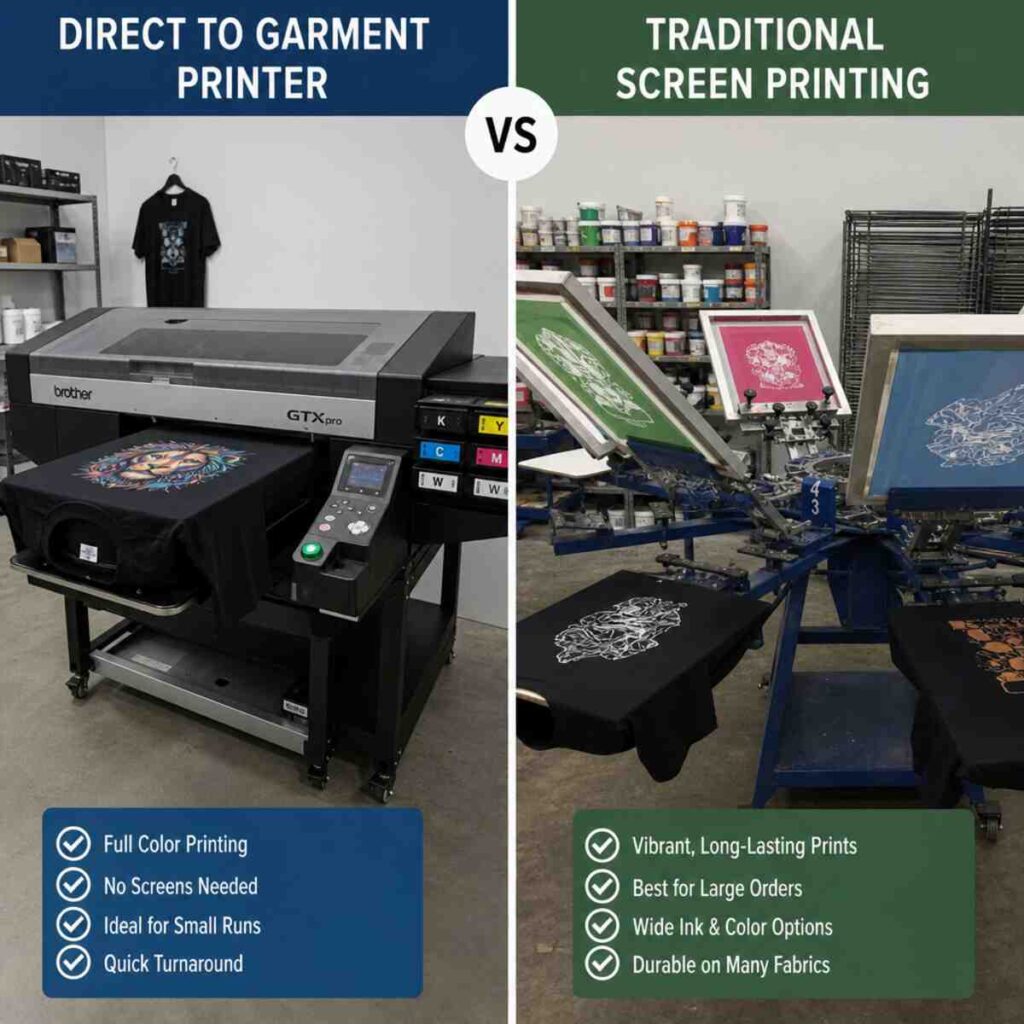
At the center of this revolution are two primary production methods: the traditional powerhouse of screen printing, and the modern marvel of the Direct to Garment Printer.
Whether you are a seasoned print shop owner looking to upgrade your facility, or an aspiring entrepreneur researching starting a print-on-demand clothing brand, understanding the nuances between these technologies is critical to your success. This comprehensive guide will break down everything you need to know about these two methods, diving deep into workflows, maintenance, costs, and the ultimate DTG vs screen printing for small business debate.
What is Screen Printing? The Traditional Heavyweight
Before we dive into digital technology, we must understand the foundation of custom apparel. Screen printing (also known as silk screening) is an analog printing technique that has been used for over a century.
The process involves creating a stencil (or “screen”) for each individual color in a design. A squeegee is then used to push thick ink—usually plastisol or water-based—through the mesh stencil directly onto the fabric. If a design has five colors, the printer must create five separate screens, align them perfectly on a multi-station press, and apply the colors one by one.
The Strengths of Screen Printing
- Cost-Effective at Scale: Once the screens are burned and the press is set up, printing 500 shirts takes very little time. The cost per shirt drops drastically as volume increases.
- Vibrant Colors and Durability: Screen printing inks are thick and sit heavily on the fabric, resulting in incredibly vibrant colors and exceptional long-term wash durability.
- Versatility: Screen printing can be done on almost any fabric type, from 100% cotton to heavy polyester, nylon, and blends.
The Weaknesses of Screen Printing
- High Setup Time and Costs: Creating screens, mixing inks, and registering the press takes considerable time.
- Strict Minimum Order Quantities (MOQs): Because of the setup time, it is not financially viable to screen print just one or two shirts.
- Color Limitations: Every color requires a new screen. Printing a full-color photograph using screen printing (via simulated process or CMYK) is highly complex, expensive, and reserved for master printers.
What is a Direct to Garment Printer? The Digital Innovator
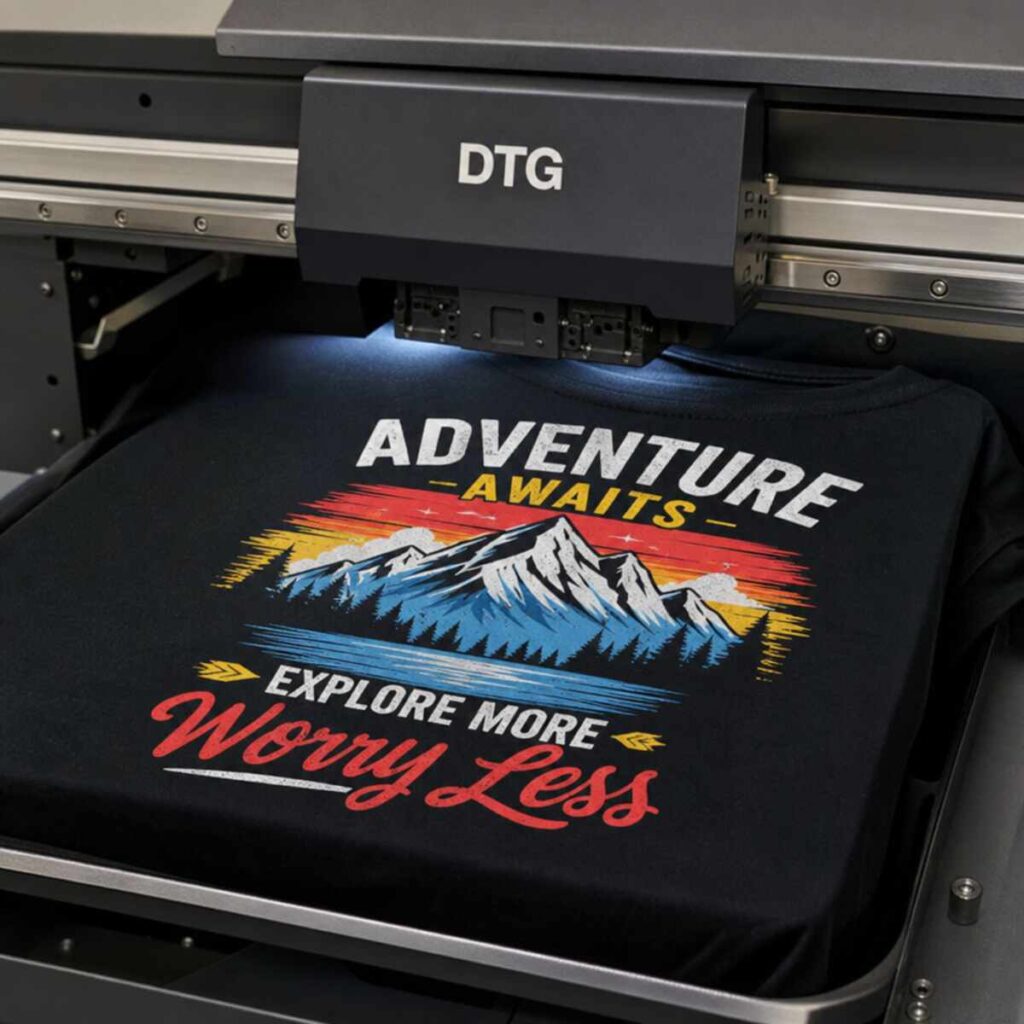
A Direct to Garment Printer (often referred to as a DTG printer) operates much like your desktop inkjet paper printer, but it is engineered specifically to print on textiles. Instead of using screens and squeegees, a DTG printer utilizes specialized printheads to spray microscopic droplets of ink directly into the fibers of the garment.
This process is known as dtg printing, and it has completely revolutionized the custom apparel market by enabling the print on demand business model. Because the image is processed digitally through RIP (Raster Image Processor) software and sent straight to the printer, there is virtually zero setup time between different designs.
The Strengths of DTG Printing
- No Minimum Orders: Printing one custom t-shirt takes the exact same setup effort as printing fifty. This makes it the ultimate tool for e-commerce and personalized gifts.
- Unlimited Colors: Because it uses CMYK (Cyan, Magenta, Yellow, Black) blending, a Direct to Garment Printer can print photorealistic images, complex gradients, and millions of colors effortlessly.
- Soft Hand Feel: DTG utilizes water-based pigment ink for apparel, which absorbs into the fabric rather than sitting heavily on top of it, resulting in a soft, comfortable “hand” (the feel of the print).
The Weaknesses of DTG Printing
- Slower Production at Scale: While setup is fast, the actual printing process is slower than a quick squeegee pull. Printing 1,000 identical shirts will take significantly longer on a DTG machine than on an automatic screen printing press.
- Fabric Limitations: DTG works best on 100% ring-spun cotton. While blends can work, printing on 100% polyester requires highly specialized, expensive equipment or alternative methods.
DTG vs Screen Printing for Small Business: Which Wins?
When evaluating DTG vs screen printing for small business, there is no objective “better” method. The right choice depends entirely on your business model, your target audience, and your available capital.
1. The E-Commerce / Boutique Model (Winner: DTG)
If you are running an online store with hundreds of designs and want to fulfill orders as they come in without holding thousands of dollars in printed inventory, DTG is the clear winner. This is the backbone of starting a print-on-demand clothing brand. You simply upload your designs to your website, market your brand, and print the exact size, color, and design only after the customer has paid for it.
2. The Local Custom Shop Model (Winner: Screen Printing)
If your primary customers are local schools, sports teams, construction companies, and event organizers who need 100 to 500 identical shirts with a 1-color or 2-color logo, screen printing is the undisputed champion. You will be able to produce these orders much faster and with a much higher profit margin.
3. The Hybrid Approach (The Ultimate Solution)
Today, many of the most successful custom apparel shops use both. They rely on professional apparel decoration equipment spanning both analog and digital technologies. They use screen printing for bulk orders and keep a DTG printer on hand to capture high-margin, short-run jobs, full-color memorial shirts, and custom one-offs that they previously had to turn away.
Analyzing the Production Cost Per Custom Shirt
To truly compare these methods, we have to break down the production cost per custom shirt.
Screen Printing Costs
- Consumables: Very low. The ink used for a standard chest logo might cost $0.05 to $0.15. Emulsion, screen degreasers, and tape add a fraction of a cent per shirt on large runs.
- Labor/Setup: High. Setting up a 4-color job might take an hour of a skilled technician’s time.
- The Math: If you print 10 shirts, your setup labor cost is spread over only 10 items, making them very expensive. If you print 1,000 shirts, the setup cost per shirt vanishes, and your primary cost is the blank garment ($2.00 – $4.00) plus a few cents of ink. Total cost per shirt can be under $3.00.
DTG Printing Costs
- Consumables: Higher. DTG inks (especially the white ink required for dark shirts) are expensive. A large, full-color graphic on a dark shirt might consume $1.50 to $4.00 worth of ink and pretreatment fluid.
- Labor/Setup: Very low. Loading the file and hooping the shirt takes seconds.
- The Math: Whether you print 1 shirt or 100 shirts, the ink cost remains the same ($1.50 – $4.00). Combined with a high-quality ring-spun cotton blank ($3.00 – $5.00), your total production cost per custom shirt might hover around $5.00 to $9.00.
While the DTG shirt costs more to produce, the profit margins on one-off, full-color custom shirts are incredibly high. A premium, full-color custom shirt can easily retail for $25 to $35, yielding a healthy profit with zero inventory risk.
Deep Dive into the DTG Process: Digital Garment Decoration Workflow Steps
For those leaning toward digital printing, it is essential to understand the workflow. Unlike traditional paper printing, you cannot simply press “Command + P” and walk away. Printing high-quality apparel requires a specific sequence of actions.
Here are the standard digital garment decoration workflow steps:
Step 1: Artwork Preparation and RIP Software
It all starts with a high-quality image. Because DTG relies on high-resolution fabric printing techniques, your artwork should ideally be created at 300 DPI (Dots Per Inch) with a transparent background. The artwork is then imported into RIP (Raster Image Processor) software. The RIP software translates the digital image colors into instructions for the printer’s CMYK and White ink channels, determining exactly how much ink to drop in each specific coordinate of the shirt.
Step 2: Garment Selection
Not all cotton is created equal. DTG works best on 100% ring-spun, combed cotton. The tight, smooth weave of ring-spun cotton acts as a flat canvas. Conversely, carded open-end cotton (the rougher, cheaper cotton often found in heavyweight promo shirts) has stray microscopic fibers that can poke through the ink, causing a dull or fuzzy print.
Step 3: The Pretreatment Process
This is arguably the most critical step when printing on any fabric that is not plain white. The pretreatment process for dark cotton shirts involves spraying the garment with a specialized, water-based chemical solution before printing.
- Why is this necessary? DTG ink is highly liquid. If you spray white ink onto a dark cotton shirt, the fabric will absorb the ink like a sponge, leaving the design dull and invisible. Pretreatment acts as a chemical primer. When the white ink hits the pretreated fabric, a chemical reaction occurs that causes the ink to instantly gel and sit securely on top of the fabric fibers. This creates a bright, opaque “white underbase” upon which the CMYK colors are printed.
- To ensure consistency, most professional shops invest in automatic garment pretreatment machines, which spray the exact right amount of fluid evenly across the shirt, reducing human error and saving costs.
Step 4: Pressing the Pretreatment
Once the shirt is sprayed, the pretreatment must be dried and the fabric fibers flattened. This is usually done using a heat press set to around 330°F (165°C) for 20 to 30 seconds.
Step 5: Printing
The pretreated, pressed garment is loaded onto the printer’s platen. The printer first lays down the white underbase, and then instantly passes over it again to lay down the CMYK water-based pigment ink for apparel.
Step 6: Curing the Ink
Once the printer finishes, the ink is still wet. Learning how to cure inkjet fabric prints correctly is vital for washability. Curing is the process of evaporating the water from the ink and binding the pigment permanently to the cotton fibers.
- Heat Press Curing: The shirt is carefully placed on a heat press. A piece of parchment paper or Teflon sheet is placed over the wet ink, and it is pressed (usually at 320°F to 340°F) for anywhere from 60 to 90 seconds.
- Conveyor Dryer Curing: High-volume shops use forced-air conveyor dryers. The shirts are placed on a belt and travel through a heated tunnel. This is much faster for production and prevents the physical flattening of the ink that sometimes occurs with a heat press.
The Technology Inside: Professional Apparel Decoration Equipment
To maintain consistency and profitability, investing in commercial-grade professional apparel decoration equipment is essential. The core of a DTG printer’s value lies in its printheads and ink delivery systems.
Eco-Friendly Textile Printing Technology
One major advantage of modern DTG equipment is its environmental footprint. Traditional screen printing uses massive amounts of water to wash out screens, and plastisol inks contain PVCs and phthalates.
Conversely, DTG utilizes eco-friendly textile printing technology. The water-based pigment ink for apparel is generally Oeko-Tex Passport certified, meaning it is safe for infants and free of heavy metals. Furthermore, the digital process generates virtually zero water waste, making it a highly sustainable option for the modern eco-conscious brand.
White Ink Management System Benefits
If there is one technical hurdle in DTG printing, it is managing white ink. White DTG ink gets its opacity from Titanium Dioxide (TiO2)—essentially pulverized microscopic metal. Because TiO2 is heavy, it naturally wants to settle at the bottom of ink cartridges and lines, much like pulp in orange juice.
If the ink settles, it will cause catastrophic clogs in the microscopic nozzles of the printheads. To combat this, high-end DTG printers are built with specialized engineering. The white ink management system benefits include automatic timed circulation (pumping the ink through the lines and back into the cartridge to keep it moving) and mechanical agitation (stirring the ink tanks). This automation drastically reduces clogs, saves thousands of dollars in wasted ink, and extends the life of expensive printheads.
Best Practices: Maintenance Tips for Digital Textile Machines
Unlike a screen printing press, which is essentially a heavy piece of metal that can sit in a garage for a year and work perfectly the next day, a DTG printer requires consistent care. It is a delicate piece of robotic machinery handling fast-drying liquid plastics and pigments.
Here are essential maintenance tips for digital textile machines to keep your production running smoothly:
Daily Maintenance:
- Agitate Ink: Even with automated systems, it is best practice to gently shake your white ink cartridges every morning before starting production.
- Perform a Nozzle Check: Always print a test pattern on a piece of clear film or scrap fabric. This ensures all printhead nozzles are firing correctly.
- Clean the Capping Station: The capping station is where the printhead rests when not in use. It seals the head to prevent drying. Wipe the rubber seals down daily with approved cleaning solution.
Weekly Maintenance:
- Clean the Wiper Blade: The printer uses a small rubber wiper to clean excess ink off the printhead. This needs to be kept spotless.
- Wipe the Encoder Strip: The encoder strip is a clear plastic band with microscopic tick marks that tells the printhead exactly where it is on the X-axis. If ink mist gets on it, your prints will be blurry or misaligned. Wipe it gently with a dry, lint-free cloth or isopropyl alcohol (depending on manufacturer guidelines).
Monthly/Quarterly Maintenance:
- Flushing Lines: During slow seasons, or if the printer will sit idle for an extended period, you may need to flush the white ink lines with cleaning fluid to prevent the Titanium Dioxide from settling and hardening.
- Greasing Rails: Keep the carriage rails lubricated with appropriate synthetic grease to ensure smooth, frictionless movement.
Troubleshooting Digital Printing Quality Issues
Even with perfect maintenance, you will occasionally run into bad prints. Troubleshooting digital printing quality issues quickly will save you time, money, and customer complaints. Here are the most common issues and how to fix them:
1. The Print Washes Out After One Laundry Cycle
- The Cause: This is almost always an under-curing issue. The water in the ink did not fully evaporate, meaning the pigment never cross-linked with the fabric fibers.
- The Fix: Review how to cure inkjet fabric prints for your specific ink set. Increase your heat press time, ensure your heat press is actually reaching the temperature it displays (use an infrared thermometer to check for cold spots), or increase the dwell time in your conveyor dryer.
2. White Speckling or Pitting in the Print
- The Cause: The white ink is sinking into the fabric instead of sitting on top. This is a failure in the pretreatment process for dark cotton shirts.
- The Fix: You either did not apply enough pretreatment fluid, or you did not press the shirt with enough pressure to flatten the microscopic fabric fibers (fibrillation). Recalibrate your automatic garment pretreatment machines to spray a slightly heavier coating.
3. Banding (Horizontal Lines in the Print)
- The Cause: Banding occurs when certain nozzles in the printhead are clogged or misfiring, leaving microscopic gaps in the print path.
- The Fix: Run a nozzle check. If there are gaps, perform a standard printhead cleaning cycle through the printer’s utility menu. Ensure your ambient room humidity is between 40% and 60%, as low humidity causes water-based inks to dry out inside the nozzles.
4. Colors Look Dull or Muddy
- The Cause: If printing on a dark shirt, your white underbase is not bright enough. If printing on a light shirt without white ink, your RIP settings might be incorrect, or you are using low-quality carded cotton.
- The Fix: Ensure you are using high-quality ring-spun cotton. Check your RIP software color profiles to ensure you are pushing enough ink volume for the specific garment type.
The Modern Alternative: Direct to Film vs DTG Comparison
No comprehensive guide to modern apparel printing would be complete without addressing the newest technology on the block: Direct to Film (DTF). When looking at the custom apparel landscape today, the Direct to Film vs DTG comparison is a major topic of debate.
What is DTF?
Instead of printing directly onto a shirt, a DTF printer prints the exact same water-based CMYK and White ink onto a special PET film. While the ink is still wet on the film, a hot-melt adhesive powder is applied to the back of the ink and melted. This creates a digital transfer that can be heat-pressed onto virtually any fabric.
DTF Pros vs. DTG
- Fabric Versatility: DTF can be pressed onto 100% polyester, nylon, spandex, leather, and dark synthetic blends without any pretreatment. DTG struggles immensely with these fabrics.
- No Pretreatment Required: Because you are printing onto a film and using adhesive powder, you completely bypass the tricky liquid pretreatment step used in DTG.
- Vibrancy: Because the ink sits on top of a smooth plastic film before being transferred, DTF prints are incredibly sharp and vibrant.
DTG Pros vs. DTF
- Breathability and Hand Feel: This is where DTG remains king. A DTG print on a cotton shirt breathes well and feels soft, becoming almost imperceptible after a few washes. A DTF transfer is essentially a layer of plastic and adhesive sitting on top of the shirt. Large DTF graphics can feel heavy, sweaty, and “rubbery” to the wearer.
- Steps in the Process: For 100% cotton garments, DTG is often a faster physical workflow from printer to finished shirt, whereas DTF requires printing, powdering, baking the powder, and then a two-step pressing process.
Ultimately, both technologies have their place. DTG remains the premium choice for retail-quality, high-end cotton streetwear and fashion brands, while DTF is rapidly becoming the go-to for synthetic activewear, sportswear, and promotional items.
Strategy: Starting a Print-on-Demand Clothing Brand
Armed with the knowledge of high-resolution fabric printing techniques and digital equipment, you might be considering turning this technology into a business. Starting a print-on-demand clothing brand has never been more accessible, and it relies heavily on the capabilities of the Direct to Garment Printer.
The Print-on-Demand (POD) Model
In the traditional retail model, you would guess which designs and sizes would be popular, order 1,000 shirts via screen printing, and store them in a garage. If a design flopped, you lost money.
In the POD model powered by DTG:
- Design: You create digital artwork.
- Mockup: You place that artwork onto digital mockups of t-shirts and list them on your Shopify, Etsy, or WooCommerce store.
- Sale: A customer visits your site and buys a Medium Black T-Shirt for $30.
- Production: You (or a third-party POD fulfillment center) print that specific shirt on a DTG machine.
- Fulfillment: The shirt is shipped directly to the customer.
Your upfront inventory cost is exactly $0.
In-House Printing vs. Outsourcing
When starting a print-on-demand clothing brand, you have two choices: buy the equipment, or outsource to a fulfillment center.
Outsourcing (Using platforms like Printful or Printify):
- Pros: Zero capital expenditure. No maintenance. No need to learn the digital garment decoration workflow steps.
- Cons: Lower profit margins. You pay retail prices for the printing ($12-$18 per shirt). Less control over quality and shipping times.
In-House (Buying your own Direct to Garment Printer):
- Pros: Maximum profit margins. Your production cost per custom shirt drops to $5-$8. Total control over quality, branding, custom packaging, and customer experience.
- Cons: High initial investment ($15,000 – $30,000+ for commercial equipment). You must master the maintenance, RIP software, and curing processes.
For most entrepreneurs, the smartest path is to start by outsourcing to test their brand concept and marketing skills. Once the brand is generating consistent daily volume (e.g., 20-30+ shirts a day), the financial math flips, and investing in an in-house DTG printer becomes a highly profitable move.
Conclusion: The Future of Apparel is Digital
The custom apparel landscape is vast, but understanding the tools at your disposal is the first step toward dominating it.
When looking at DTG vs screen printing for small business, remember that neither technology is obsolete. Screen printing remains the undisputed heavy weight champion of bulk, large-scale production, offering unmatched durability and low costs at high volumes.
However, the Direct to Garment Printer represents the agile, digital future of fashion. With its ability to produce photorealistic images via high-resolution fabric printing techniques, utilize eco-friendly textile printing technology, and enable the zero-inventory print on demand business model, DTG has broken down the barriers to entry for thousands of creators worldwide.
By mastering the digital garment decoration workflow steps, taking the time to perfect the pretreatment process for dark cotton shirts, and strictly following the maintenance tips for digital textile machines, you can leverage this incredible technology to build a profitable, highly scalable apparel business.
Whether you are printing a memorial shirt for a local family, fulfilling a massive e-commerce order, or launching the next massive streetwear brand, modern printing technology ensures that if you can dream it, you can print it.